
Plans, payments and billing
Choose a plan, pay with Paystack, get receipts, buy extra builds and change plans.
On this page
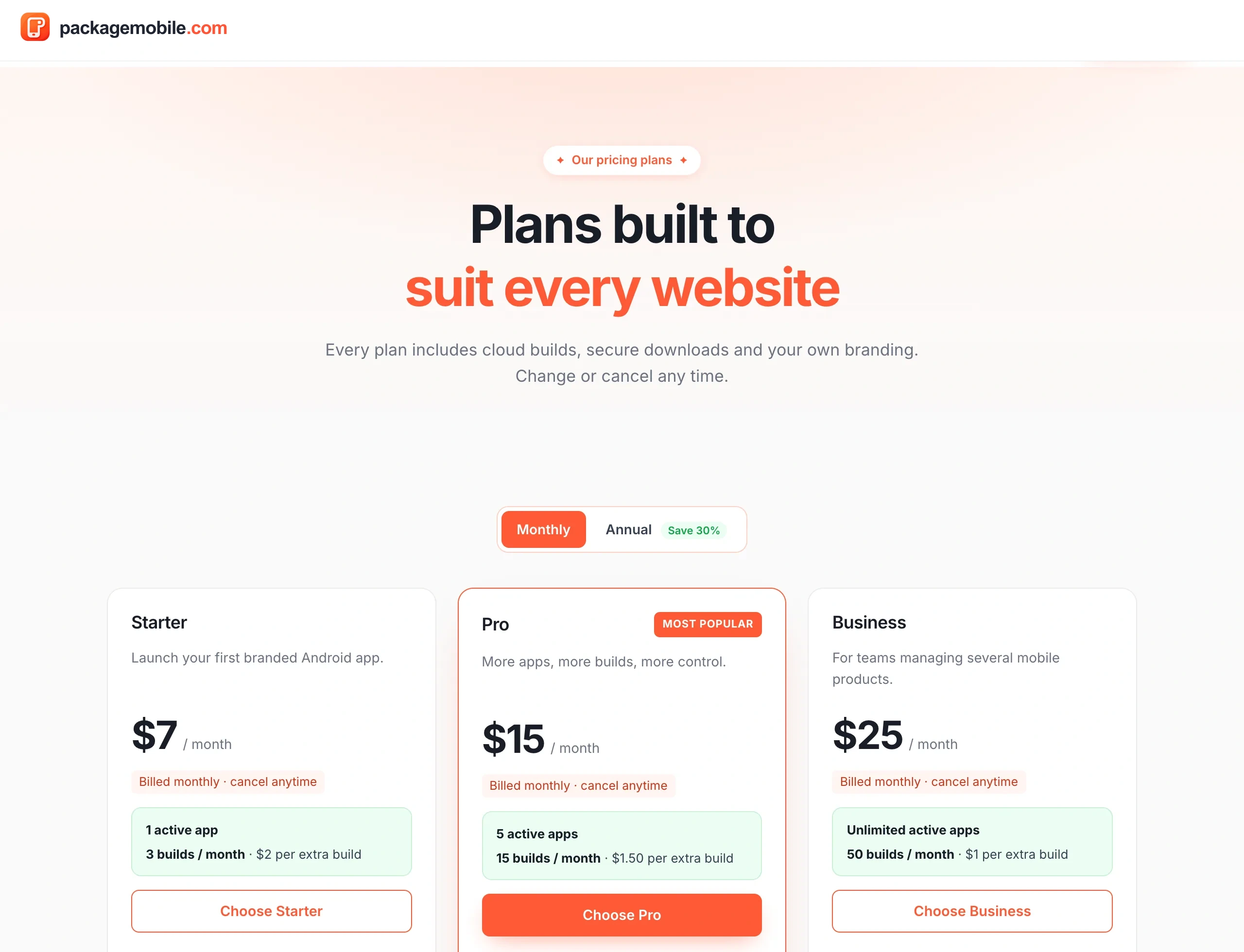
- Starter — 1 active app, 3 builds a month.
- Pro — 5 active apps, 15 builds a month, push notifications, AAB for Google Play and more.
- Business — unlimited apps, 50 builds a month, 5 team seats and priority builds.
Go to Billing and choose a plan, or pick one on the Pricing page.
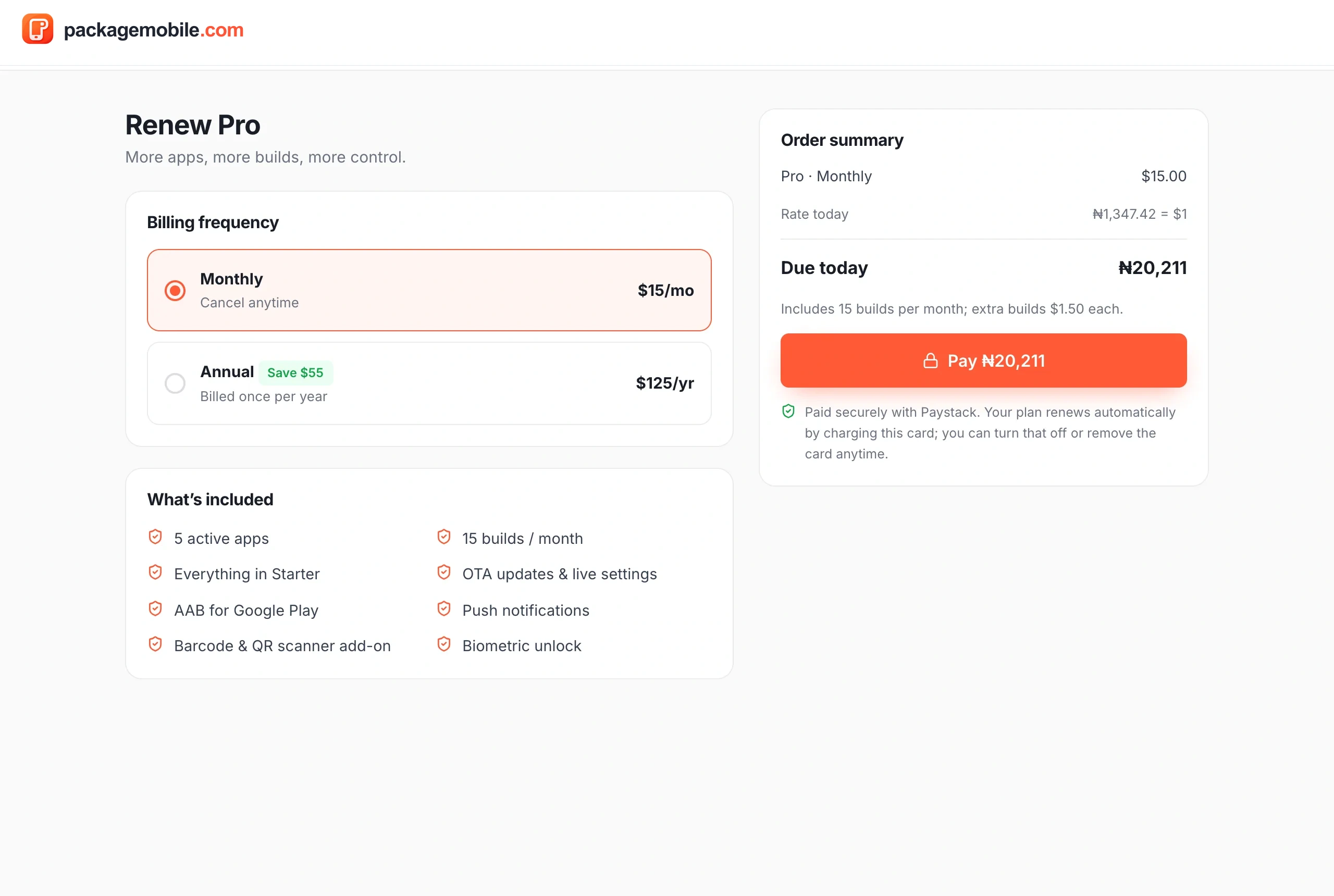
- Check the order summary and tap Pay.
- Paystack's secure window opens. Pay by card, bank transfer, USSD or another option it offers.
- When it's done you'll see Payment successful, and your plan switches on as soon as Paystack confirms the payment — usually within seconds.
Prices are set in US dollars and charged in Naira at the day's exchange rate, shown before you pay. Your card details go to Paystack, never to us.
We'll ask whether you want to cancel the payment or continue paying. If you cancel, nothing is charged. If your money did go through (for example a bank transfer that finished as you closed the window), we still apply your order — you're never charged without getting what you paid for.
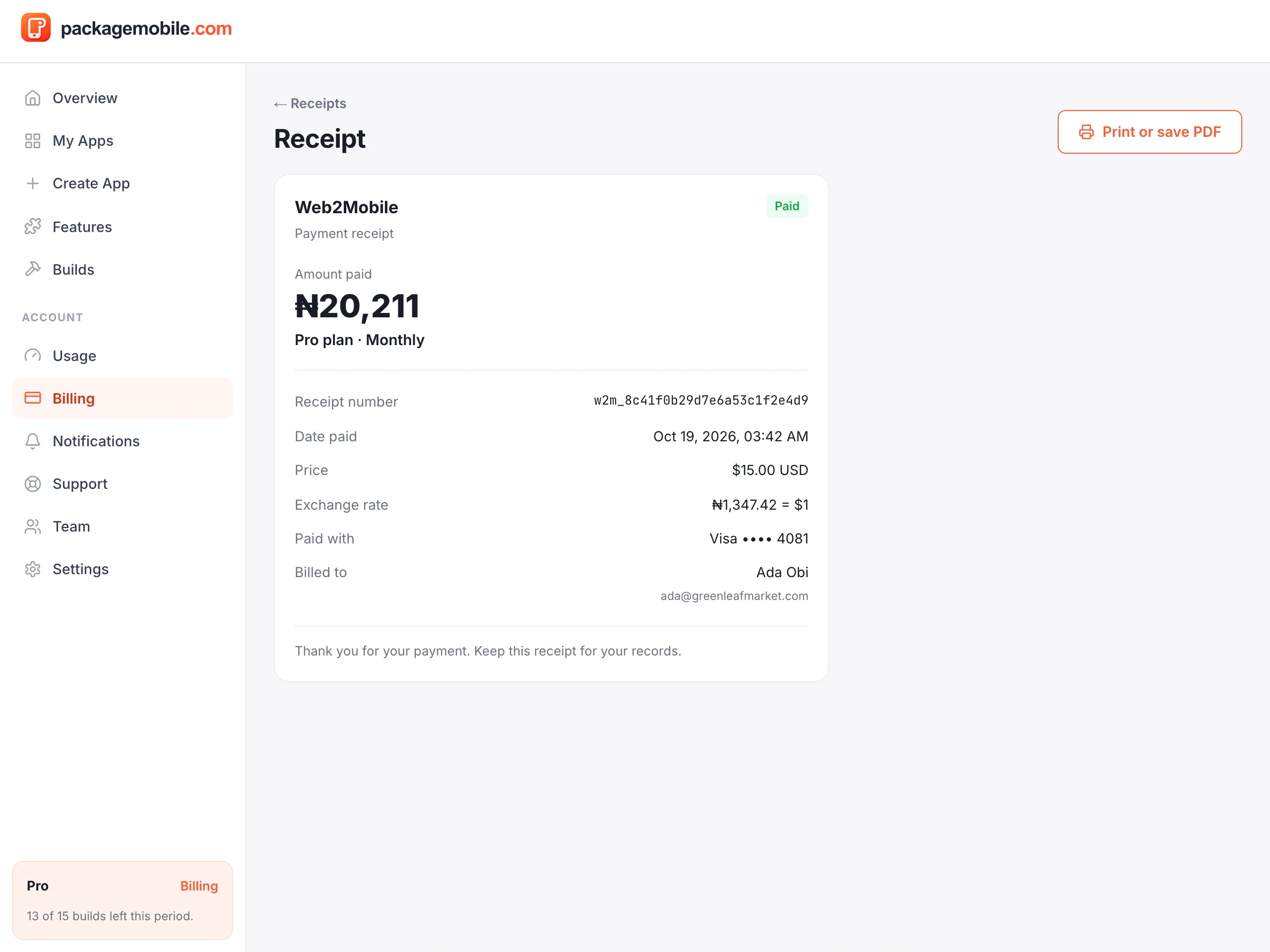
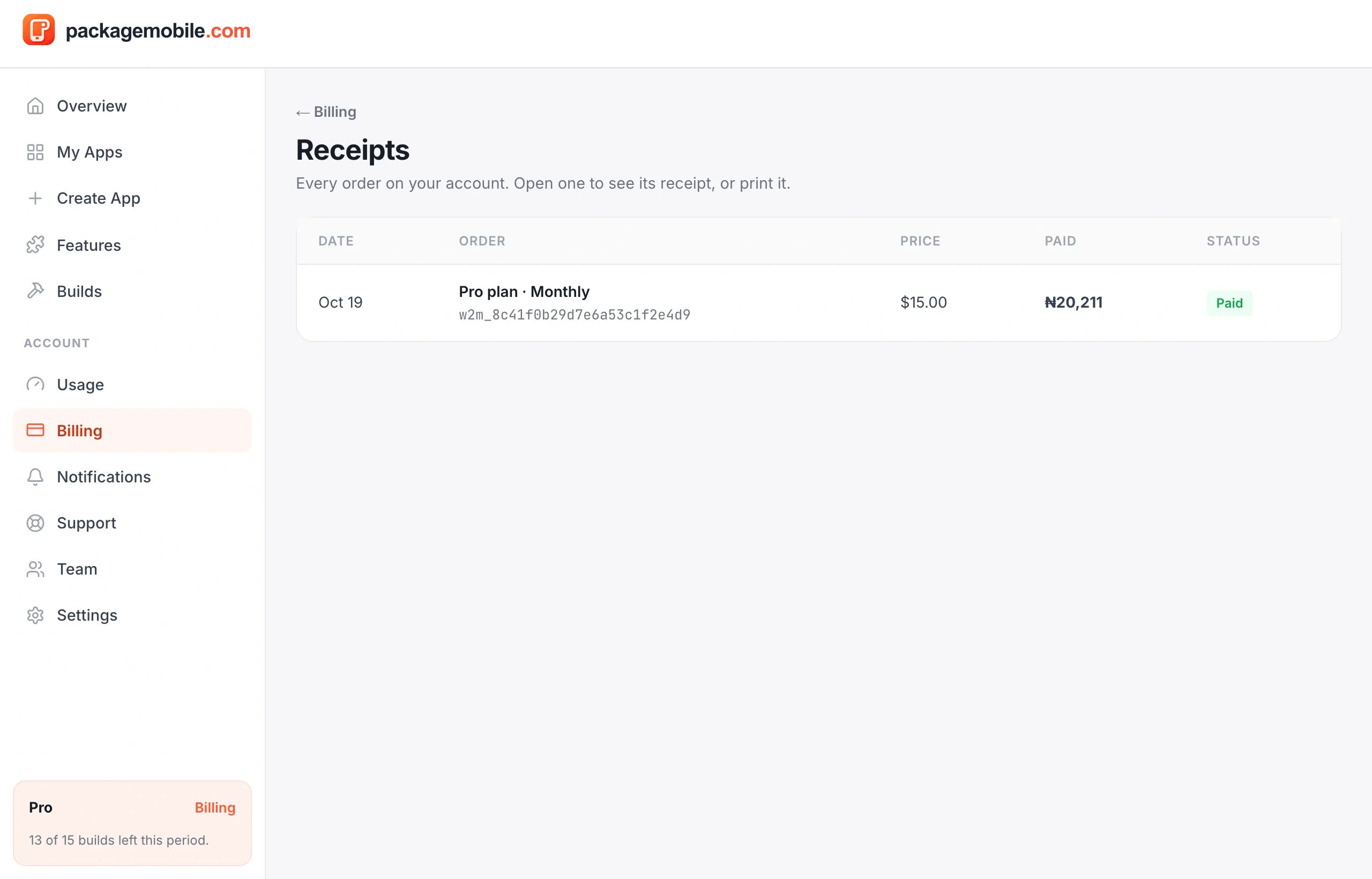
We email you a receipt for every payment. You can also open Billing → Receipts and tap any order to see it again, print it or save it as a PDF.
Used your plan's builds for the month? Buy extra builds from Billing ($2 on Starter, $1.50 on Pro, $1 on Business). They don't expire and are used after your plan's builds. A build that fails or is cancelled gives its build back.
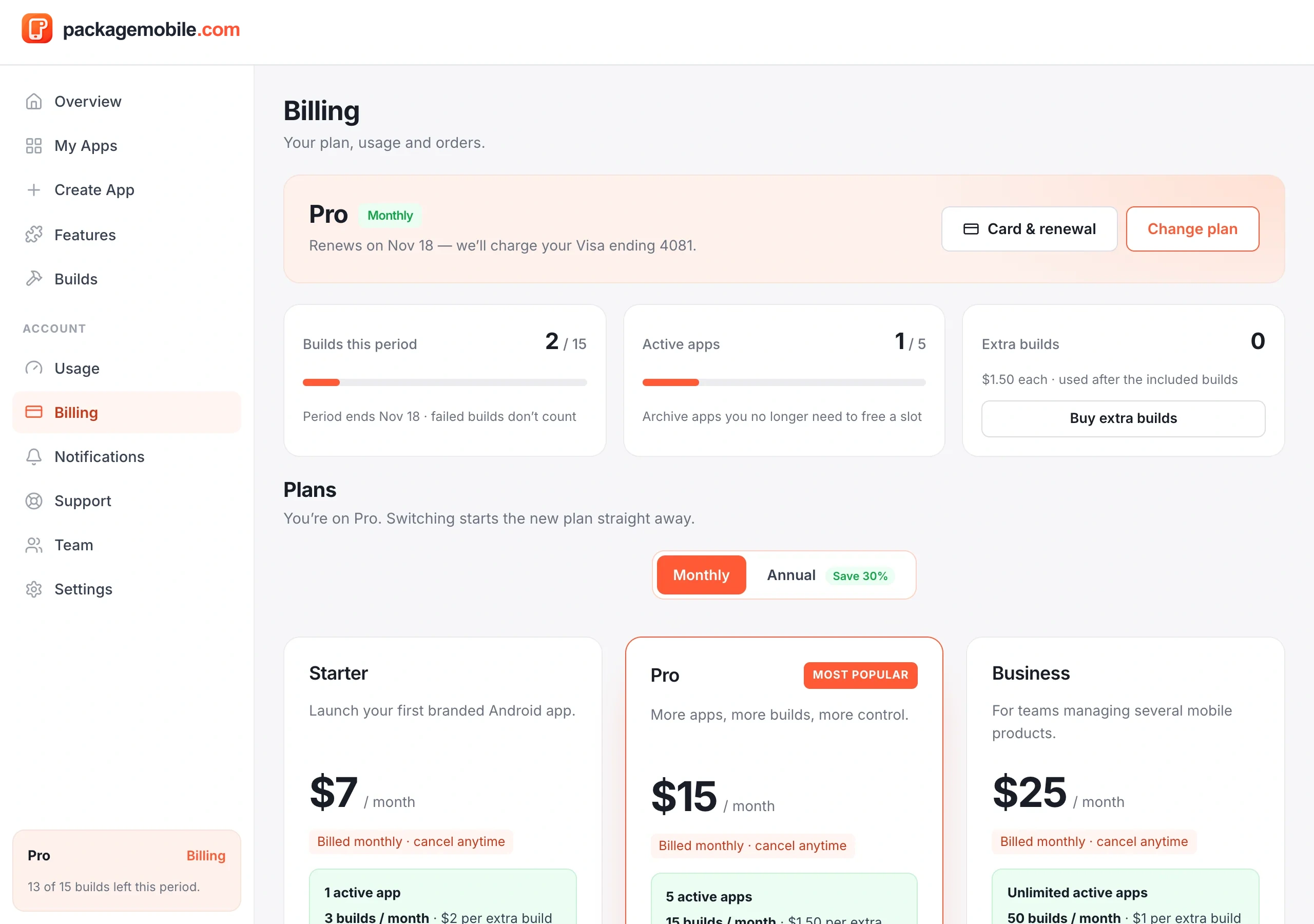
Pick another plan in Billing. The new plan starts straight away with a fresh build period.